
YouTube transcript, the honest way
Turn any YouTube video into clean, copyable text.
Paste a link and convert any YouTube video to text in seconds — read the transcript with timestamps, search it, export it. Free, no sign-in, no hidden limits.
Free forever · no sign-in · works on any video with captions.
Three steps
How to get a YouTube transcript
A free YouTube transcript generator — no setup, no account. Paste a link and you have the text in seconds.
Paste the link
Drop any YouTube URL into the box above — or install the extension for one-click access.
Get the transcript
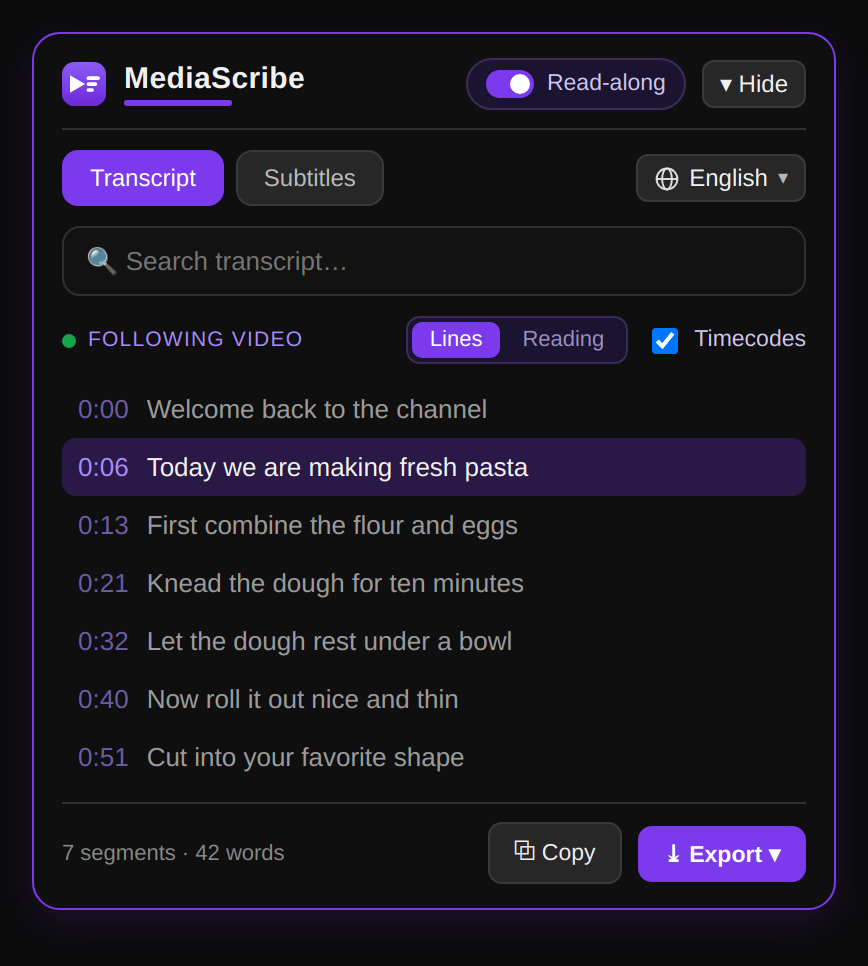
We open a clean reading page with the full transcript in seconds — click any timestamp to jump the player to that moment.
Copy or export
Copy it or download it as TXT, Markdown, SRT or VTT.
Everything you need
More than just the captions
A transcript you can actually read, search, translate and reuse.
Clickable timestamps
Every line links back to the exact moment on YouTube.
Translate in one click
Read the transcript in any available language — one click in the extension.
Export TXT · MD · SRT · VTT
Take the text anywhere — notes, subtitles, docs.
Full-text search
Jump to any word across the whole transcript.
Read along
Follow the active line while the video plays.
Private by design
No account, no tracking, no stored history.
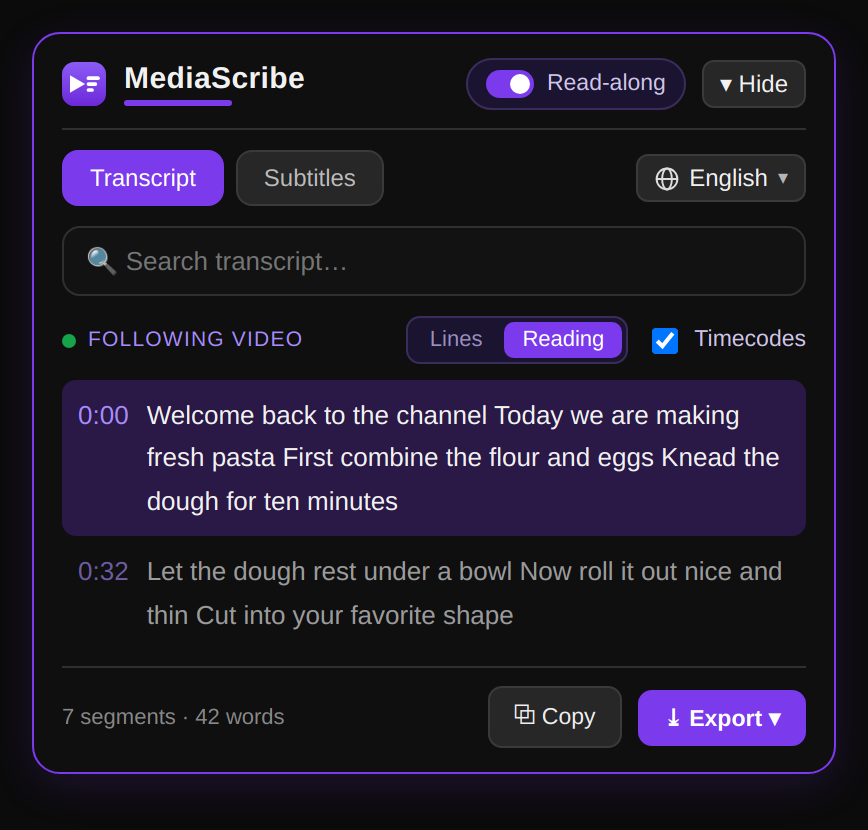
Read along
Follow every word as the video plays.
The active line highlights in sync with the video, so you can read and watch at once — perfect for lectures, tutorials and long talks.
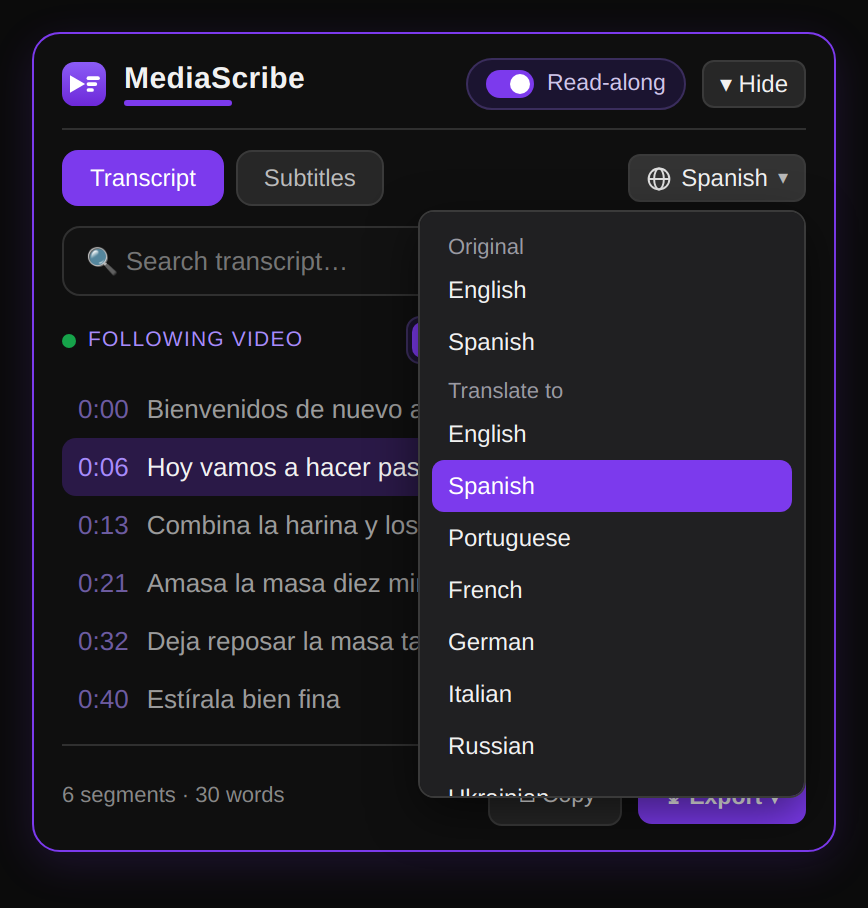
Translate
Any language, in one click.
Turn the transcript into your language instantly — read foreign-language videos, or translate your own captions for a wider audience.
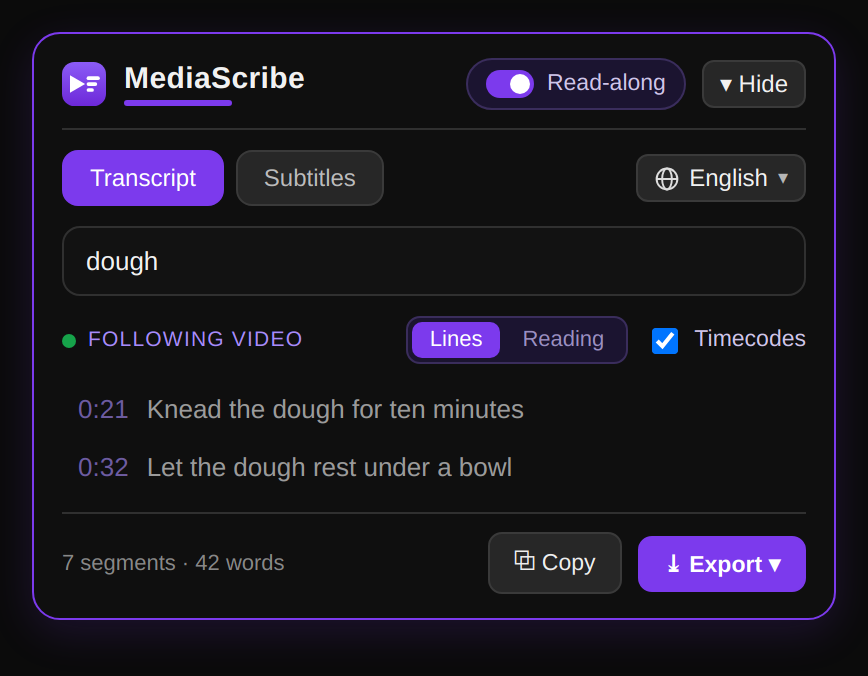
Search
Find any moment in seconds.
Search the full transcript and jump straight to the line you need — no scrubbing through the timeline.
Why this, not the others
Free, with no catch.
Most “free” transcript tools make you create an account, then cap you after a video or two. This one doesn’t — the basic transcript is free, forever.
- Free forever. Getting, copying and exporting the transcript has no hidden limits.
- No account. No sign-up, no email, no login wall before you see your text.
- Private by design. No tracking and no stored history — we only read the captions the video already has.
Plans
Text is free. AI when you need it.
For videos with captions, the transcript, translate and export stay free — forever. Need a summary, a ready-to-use article, or a transcript of a video with no captions? That's the AI layer: summary, article, social post and chat with the video. One payment by video length — then every format for it is free.
🎁 Free AI minutes on sign-up · secure checkout · every format free after
Free forever for videos with captions. No captions? The AI transcribes them from the audio — that's Pro.
Questions
Frequently asked questions
How do I get the transcript of a YouTube video?
Paste the video link in the box above — we open a clean reading page with the full transcript and clickable timestamps. Copy or export it there, free and without sign-in.
Is it free?
Yes. Getting, copying and exporting the transcript is free, with no sign-in and no hidden limits.
Why this over YouTube's own captions?
YouTube's captions are made for watching, not reading: no easy copy, no clean export, no quick translation. This turns them into clean, timestamped text you can actually use.
Can I translate the transcript?
Yes — the free Chrome extension translates the transcript into any available language in one click, and YouTube’s own caption menu can auto-translate as well.
Is there a limit on video length or number of videos?
No. There is no length cap and no daily limit — the basic transcript is free forever.
Which export formats are supported?
You can export to TXT, Markdown, SRT and VTT, with or without timecodes.
Get your transcript now.
Paste a YouTube link and read, search or export it in seconds — free, no sign-in.